
If you own a house, flat, shop, or even a small piece of land in Howrah, paying property tax to the Howrah Municipal Corporation (HMC) is something you can’t really ignore. It’s an annual responsibility for property owners, and honestly, it also helps the city run smoothly.
The tax collected by the municipal body is used for everyday civic services — things like maintaining roads, improving drainage systems, street lighting, sanitation work, and other public facilities that people use daily.
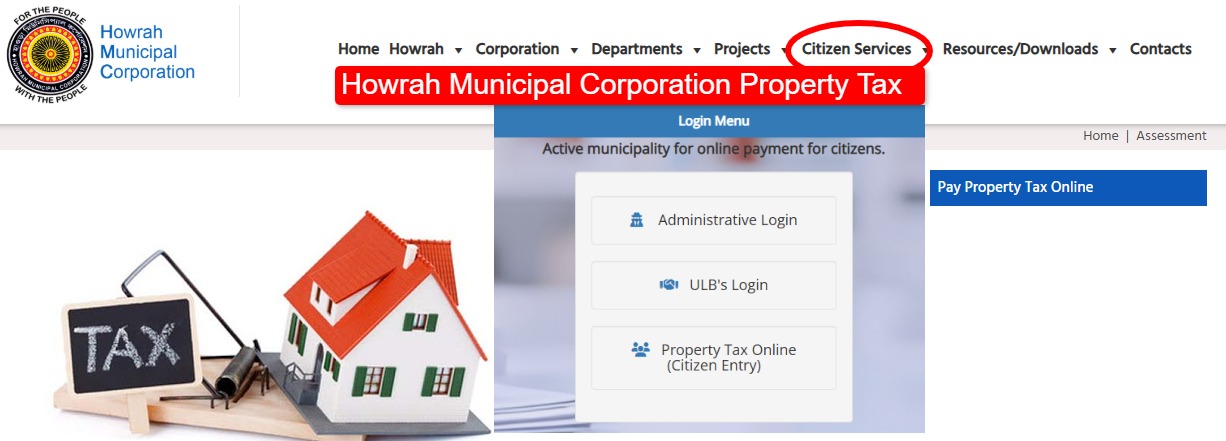
The good thing is, these days you don’t have to stand in long lines at the municipal office. Most services are now available online. Residents can check their dues, download the property tax bill, and even pay the tax from home. In this guide, you’ll get the latest information about Howrah Municipal Corporation Property Tax in 2026 — including how to pay online, download receipts, and avoid penalties.
What is Howrah Municipal Corporation Property Tax?
Property tax is basically a local tax collected by the municipal authority from property owners within city limits. In Howrah, this tax is managed by the Howrah Municipal Corporation.
If you own property in the city, you are required to pay this tax every year.
It generally applies to properties such as:
-
Residential houses and flats
-
Commercial buildings
-
Shops and offices
-
Vacant land within municipal limits
The revenue collected from property tax is used to maintain and improve urban infrastructure and public services across the city.
Latest Update on HMC Property Tax (2026)
Over the past few years, the Howrah Municipal Corporation has moved many of its services online. This has made things much easier for residents.
Using the official property tax portal, citizens can now:
-
Pay property tax online
-
Check pending dues
-
Download tax bills and receipts
-
Apply for property mutation
-
View property assessment details
Because of this digital system, most people no longer need to visit the municipal office for basic property tax work.
Official Portal for Howrah Property Tax Payment
Residents can pay their property tax through the official online portal of the municipal corporation.
Official Property Tax Portal:
https://pt.myhmc.in
On this portal, you can check property details, see pending tax dues, and complete the payment using online payment options.
How to Pay Howrah Municipal Corporation Property Tax Online
The online payment process is fairly simple. Just follow these steps:
-
Visit the official property tax portal of Howrah Municipal Corporation
-
Click on “Click Here to Pay”
-
Enter your Assessee Number or Property Assessment Number
-
Click on Current Year Tax
-
Check your property details and outstanding tax amount
-
Select the bill you want to pay
-
Proceed to payment
You can pay using:
-
UPI (Google Pay, PhonePe, etc.)
-
Debit card
-
Credit card
-
Net banking
Once the payment is successful, you can download the receipt immediately. Usually, a confirmation message is also sent to your registered mobile number.
How to Download Howrah Property Tax Bill or Receipt
If you already paid the tax and need the receipt, you can download it online anytime.
Steps to Download the Receipt
-
Go to the HMC property tax portal
-
Click on Download Bill
-
Enter your Assessee Number
-
Click Submit
-
Select the required bill and download the receipt
This receipt can be used as proof of tax payment whenever required.
Documents Required for HMC Property Tax
In most cases, you only need basic property information. Some common details include:
-
Property Assessment Number / Assessee ID
-
Owner’s name
-
Property address
-
Previous tax bill or receipt
-
Identity proof (sometimes required)
These details help the system locate your property record in the municipal database.
Property Mutation and Self-Assessment
If you recently bought or inherited a property in Howrah, you should apply for property mutation with the Howrah Municipal Corporation.
Mutation updates the ownership record in municipal files.
Usually, the following documents are required:
-
Property sale deed
-
Affidavit
-
Identity proof
-
Mutation application form
-
Property tax clearance certificate
These documents are submitted to the municipal assessment department for verification.
Offline Property Tax Payment in Howrah
Some residents still prefer to pay property tax offline. That option is also available.
You can visit the main office of Howrah Municipal Corporation.
Office Address:
4 Mahatma Gandhi Road
Howrah – 711101, West Bengal, India
Offline payment methods may include:
-
Cash
-
Cheque
-
Demand Draft
After completing the payment, the municipal office will provide an official receipt.
Why Paying Property Tax on Time is Important
Paying property tax regularly is important for several reasons.
✔ It helps you avoid late payment penalties
✔ Keeps property ownership records legally updated
✔ Makes property sale or transfer easier
✔ Supports development of city infrastructure
✔ Ensures access to municipal services without problems
Timely payment also helps the municipal corporation maintain and improve public facilities across the city.
Frequently Asked Questions (FAQs)
1. What is the official website for Howrah property tax payment?
The official portal for property tax services is the website managed by Howrah Municipal Corporation:
https://pt.myhmc.in
2. Can I pay Howrah property tax through UPI?
Yes. The portal supports UPI payments as well as debit cards, credit cards, and net banking.
3. How can I find my Assessee Number?
Your Assessee Number is usually printed on your previous property tax bill issued by Howrah Municipal Corporation.
4. What happens if property tax is not paid?
If property tax is not paid on time, the municipal authority may apply late fees or interest. In some cases, recovery action can also be taken.