
So, tax season is here again. If you’re anything like me, the thought of standing in those long lines at the Meerpet Municipal office in the heat is… well, it’s not exactly how I want to spend my morning.
I actually tried the online method this time. Honestly? It’s way easier than I thought, though the government website can be a bit glitchy sometimes. If you’ve been putting off paying your Meerpet property tax because you’re dreading the paperwork, here’s how I did it in about 5 minutes.
What You Need Before You Start
Don’t just open the website yet! You’ll need a few things handy so you don’t have to keep refreshing the page:
-
Your PTIN (Property Tax Identification Number): If you don’t know it, you can search by your door number on the site.
-
A Mobile Number: They send an OTP, so make sure you have your phone nearby.
-
A Payment Method: UPI (GPay/PhonePe) is usually the fastest.
The Step-by-Step (Without the Legal Jargon)
-
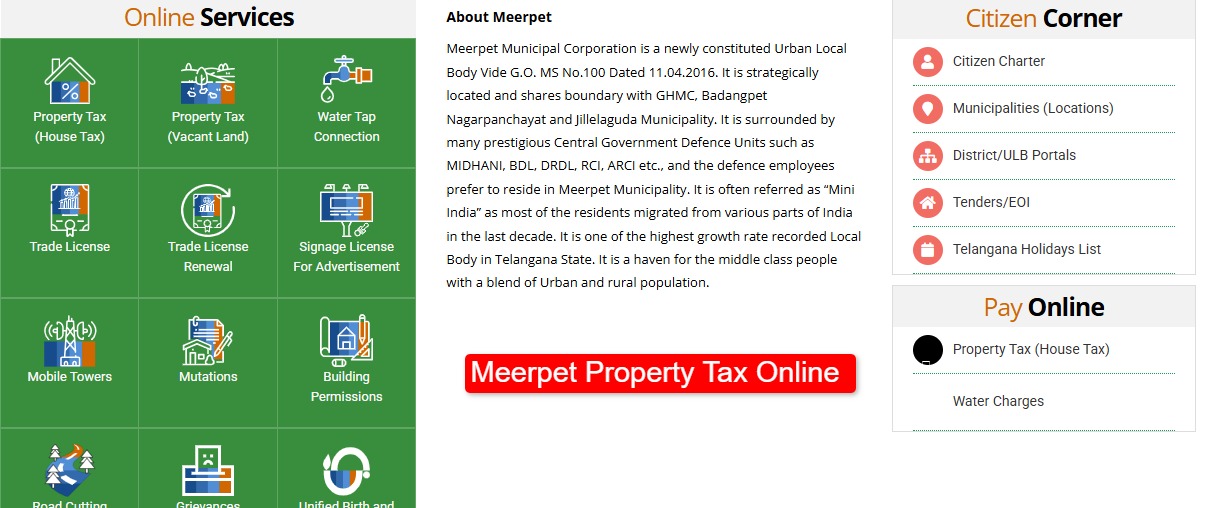
Head to the Right Site: The official portal is meerpetcorporation.telangana.gov.in. Don’t click on random third-party links that pop up on Google—use the official one to be safe.
-
Find the “Property Tax” Tab: Once you’re on the homepage, look for the “Online Services” section. Click on “Property Tax” and then select “Payment.”
-
Enter Your Details: Put in your PTIN. If you lost the number (happens to the best of us), use the “Know Your Property Tax” link to search by your door number or house address.
-
Verify the Amount: Once your property pops up, check the bill amount. If you’re paying late, there might be a penalty—don’t be shocked when you see it.
-
Pay Online: Pick your payment mode. I used UPI and it went through instantly.
-
The “Receipt” Step (Don’t skip this!): After the payment succeeds, there’s usually a button to download the receipt. Save it as a PDF on your phone or email it to yourself. The system sometimes doesn’t email you automatically, and you definitely want proof you paid.
A Few Things to Keep in Mind
-
The “Early Bird” Discount: If you pay before April 30th, they sometimes offer a rebate. It’s not much, but hey, it’s free money. Don’t miss it.
-
Payment Lag: If the site says “Transaction Failed” but your money was deducted… breathe. Wait for about 24 hours. Most of the time it updates automatically. If not, you’ll have to take your transaction ID to the Meerpet Municipal office.
-
App Option: If you hate using a browser, you can also download the “Citizen Buddy” app. It’s the official app for Telangana municipalities and honestly, sometimes it’s smoother than the desktop site.
Anyway, that’s how I got it done. No crowds, no standing in the sun. Hope this saves you a trip to the office!