
If you own a house or a bit of land in Rajahmundry—or Rajamahendravaram as we’re officially calling it now—you know that property tax is just one of those things you can’t avoid. Honestly, I used to dread this time of year because it meant a trip to the municipal office, waiting in line, and hopeing the system didn’t go down.
But things are actually getting easier. The Rajamahendravaram Municipal Corporation (RMC) has moved most of this stuff online. If you’ve just built a new floor or need to file a “Self-Assessment” for the first time, you can do it from your couch.
Here is a quick, no-nonsense guide on how to get it done without losing your mind.
First Things First: What is Self-Assessment?
Basically, it’s just you telling the corporation, “Hey, I have this property, it’s this big, and here’s what I should be paying.” You do this when you have a new building or if you’ve made some big changes (like adding a shop front or a new room).
What You’ll Need (Don’t skip this!)
Before you open the website, make sure you have these things ready on your phone or laptop. It saves so much time:
-
Property Documents: Your sale deed or title deed.
-
Building Plan: The one that was approved by the authorities.
-
Occupancy Certificate: If it’s a brand new construction.
-
Aadhar Card: Just for your ID proof.
-
Assessment Number: If you already have an old one.
Steps to File Online (The Actual Process)
-
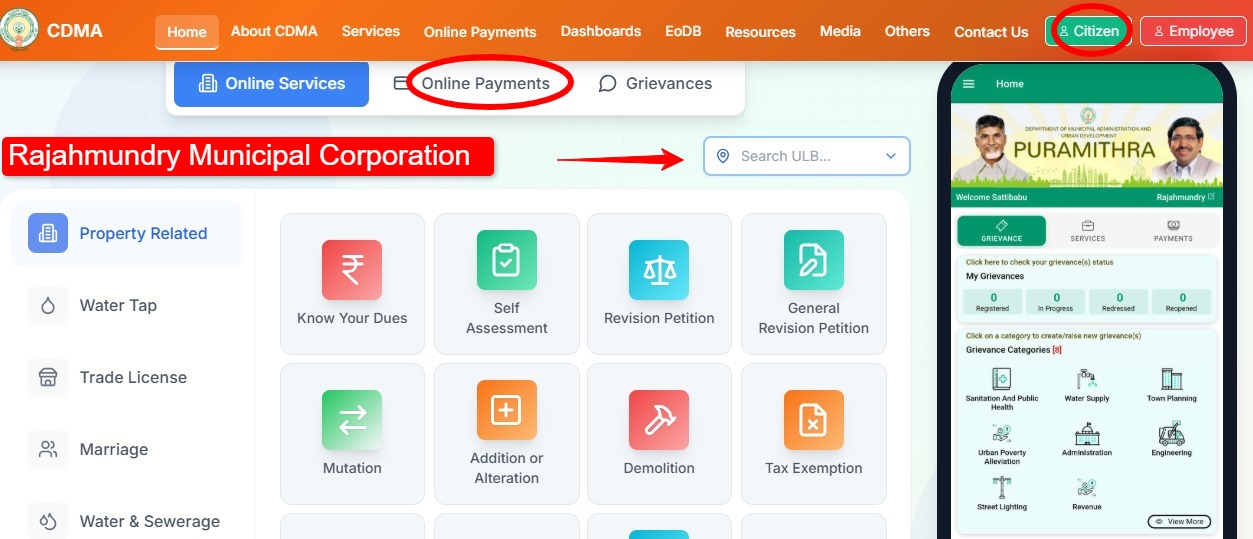
Go to the CDMA Portal: Most people look for the RMC site, but the actual filing usually happens on the Andhra Pradesh CDMA portal (cdma.ap.gov.in).
-
Find the Service: Look for a tab called “Online Services” and then click on Property Tax.
-
Choose “File New Application”: If this is your first time or a new assessment, click this. You’ll have to select “East Godavari” as your district and “Rajamahendravaram” as the corporation.
-
Fill the Form: This is the part that takes a minute. You’ll have to enter the area (sq yards), the floor details, and what the building is used for (residential or commercial).
-
Quick Tip: Be honest here. If they find out the measurements are wrong later, the penalty is a real pain.
-
-
Upload Documents: This is where you attach those PDFs or photos of your deeds and plans.
-
Submit and Wait: Once you submit, you’ll get an application number. Write this down! You’ll need it to track the status.
Don’t Forget the 5% Discount!
If you’re just paying your regular tax (not a new assessment), try to do it before April 30th. The RMC gives a 5% rebate if you pay early. It might not seem like much, but it’s basically a free lunch, so why not take it?
Common Problems (And how to fix them)
-
Site is “Loading” forever: This happens a lot during peak tax season. Try using Google Chrome on a laptop instead of your phone—it usually works better.
-
Payment Failed but Money is Gone: Don’t panic. Usually, it refunds in 2–3 days. Just wait 24 hours before trying again.
-
Need help? You can actually use the RMC Sevak App or call their helpline at 94940 60060. They are surprisingly helpful sometimes!